Setup
1. Facebook & Instagram setup
Make a Facebook account
Make a Facebook Page using that account. Facebook Page guide
Make an Instagram account using the same email
Change the Instagram account type to professional (not private, nor public)
Connect the Facebook page to the Instagram account. Instagram connection guide
On the Facebook (Meta) developer site, register yourself, and create a new app. The interface keeps on changing, so it’s kinda useless to document exact steps and screenshots. Remember to create a Business type app as opposed to Consumer type app.
Open Add products to your app page if it doesn’t open automatically. Add the product named “Instagram” by clicking on “Set-up”.
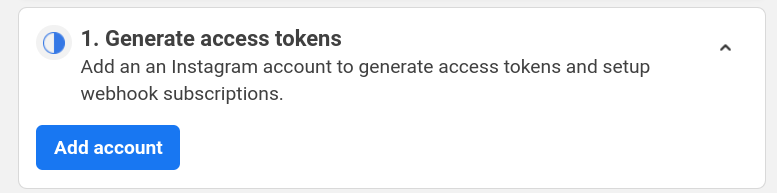
On the page API setup with Instagram business login, generate access tokens by adding your instagram account
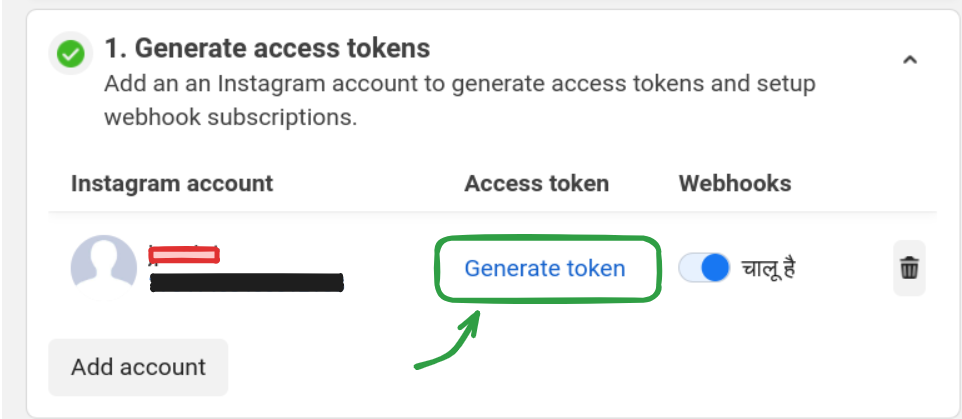
Click Generate token, login to Instagram on the popup window, and allow permissions. Finally, copy the access token.
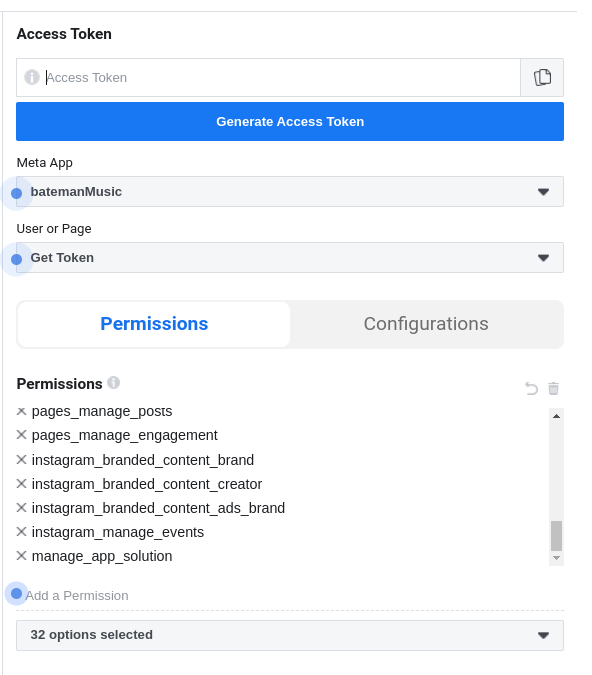
Open Graph API Explorer. Select your app . Select Get User Access Token.
Add permissions. Facebook documention is dumb as hell. I ain’t wasting another minute reading that shit. Do one of these two or else this apeshit API won’t work: - Add every fucking permission available - Figure out what permissions and scopes are required to publish content
Click Generate Access Token. This is a short lived token. We’ll exchange this for a long lived token.
In a .env file, set FB_ACCESS_TOKEN as the short lived token, generated in step 12.
Find your PAGE_ID by running app/facebook/get_user_pages.py or this Facebook help page. Set this in the .env file
Find your INSTAGRAM_ACCOUNT_ID by running app/facebook/get_instagram_account.py or go to https://accountscenter.instagram.com/profiles/ , click on your username, the url in the browser will change to https://accountscenter.instagram.com/profiles/<INSTAGRAM_ACCOUNT_ID>. Set this in the .env file
Setup these environent variables in the .env file - FB_ACCESS_TOKEN - FB_CLIENT_ID - FB_CLIENT_SECRET - GRAPH_DOMAIN=’https://graph.facebook.com/’ - GRAPH_VERSION=’v21.0’ - PAGE_ID - INSTAGRAM_ACCOUNT_ID - IG_USERNAME
When facebook access token gets expired
Follow the steps 10,11,12,13 to get a new short lived token.
Run app/facebook/long_lived_access_token_facebook.py to get a new long lived access token
In the .env file, set FB_ACCESS_TOKEN as this new token.
2. Imgur setup
- Create an app on imgur, and set the following in the .env file:
IMGUR_CLIENT_ID
IMGUR_CLIENT_SECRET
IMGUR_ACCESS_TOKEN
IMGUR_REFRESH_TOKEN
IMGUR_CLIENT_ID & IMGUR_CLIENT_SECRET can be found on the Imgur Dashboard
Get IMGUR_ACCESS_TOKEN & IMGUR_REFRESH_TOKEN by opening this link in your browser -> https://api.imgur.com/oauth2/authorize?client_id=YOUR_CLIENT_ID&response_type=token&state=APPLICATION_STATE (Replace YOUR_CLIENT_ID with the client id you got from registering your application) You will be redirected to a new url
Extact the access token from the url
Extact the refresh token from the url
Set them in .env file
Now if the token gets expired, run generate_access_token.py to get the new access token and refresh token
3. YouTube ingestion prerequisites
The audio files are downloaded using yt-dlp.
Install yt-dlp (already included as a Python dependency in this project).
Install deno and ensure it is available in PATH for JavaScript challenge support when required.
Install Challenge Solver Scripts from yt-dlp EJS guide. This is required by yt-dlp to solve javascript challenges on youtube.
4. FFMPEG
Install ffmpeg and make sure it is available in PATH.
5. Repo & Shell setup
Clone the repo:
gh repo clone codeblech/batemanRecords
Place the .env file in root of the repo directory
Install poetry:
curl -sSL https://install.python-poetry.org | python3 -
4. Install dependencies: From root of the repo, run:
`poetry install`
5. Create an alias for this command: Write in ~/.bashrc or ~/.zshrc or any other shell config file:
alias bateman="PATH/TO/batemanRecords/app/bateman.sh"
Reload the bashrc file:
source ~/.bashrc
7. Centralized configuration
Environment loading and access are centralized in app/config.py:
Config calls load_dotenv() once.
Modules should import config from app.config.
Avoid per-module load_dotenv() calls.
Note
Some of the Facebook & Instagram steps might seem repetitive. That’s because they probably are. gotta blame facebook for that.
- All of the following are different (yet, confusingly similar):
access_token
client_id (FB App ID)
client_secret (FB App Secret)
Instagram app ID
Instagram app secret
page_id
instagram_account_id
instagram_username
Run app/facebook/debug_facebook_access_token.py to get info(type, expire_time, scopes, etc) about the access token set in the .env file as ACESS_TOKEN